

Galileo Tracing
The Galileo Tracing policy integrates Galileo AI with the Zuplo AI Gateway, providing comprehensive observability, monitoring, and evaluation of your LLM applications. This policy automatically captures detailed traces of all AI Gateway requests and responses, enabling you to monitor performance, debug issues, and optimize your AI operations.
Key Features
- Automatic Trace Capture: Seamlessly logs all LLM requests and responses without code changes
- Streaming Support: Handles both streaming and non-streaming responses
- Performance Monitoring: Tracks token usage, latency, and resource consumption
- Hierarchical Tracing: Organizes traces with workflow and LLM spans for detailed analysis
How It Works
Trace Structure
The policy creates a hierarchical trace structure for each AI Gateway request:
- Trace: Top-level record representing the complete user interaction
- Workflow Span: Contains the entire AI Gateway workflow
- LLM Span: Captures the specific LLM API call details
Data Captured
For each request, the policy automatically captures:
Request Information
- User prompts and messages
- Model parameters (temperature, max_tokens, etc.)
- Request metadata (route, request ID)
- Timestamp and duration
Response Information
- Model outputs and completions
- Token usage (input, output, total tokens)
- Finish reasons and status
- Performance metrics
Metadata
- Request ID for correlation
- Route information
- Custom tags for categorization
- Duration in nanoseconds for precise timing
Configuration
-
Obtain Galileo Credentials
- Sign up for a Galileo account
- Create a new project in your Galileo dashboard
- Generate an API key specifically for use with Zuplo
-
Add the policy to your app
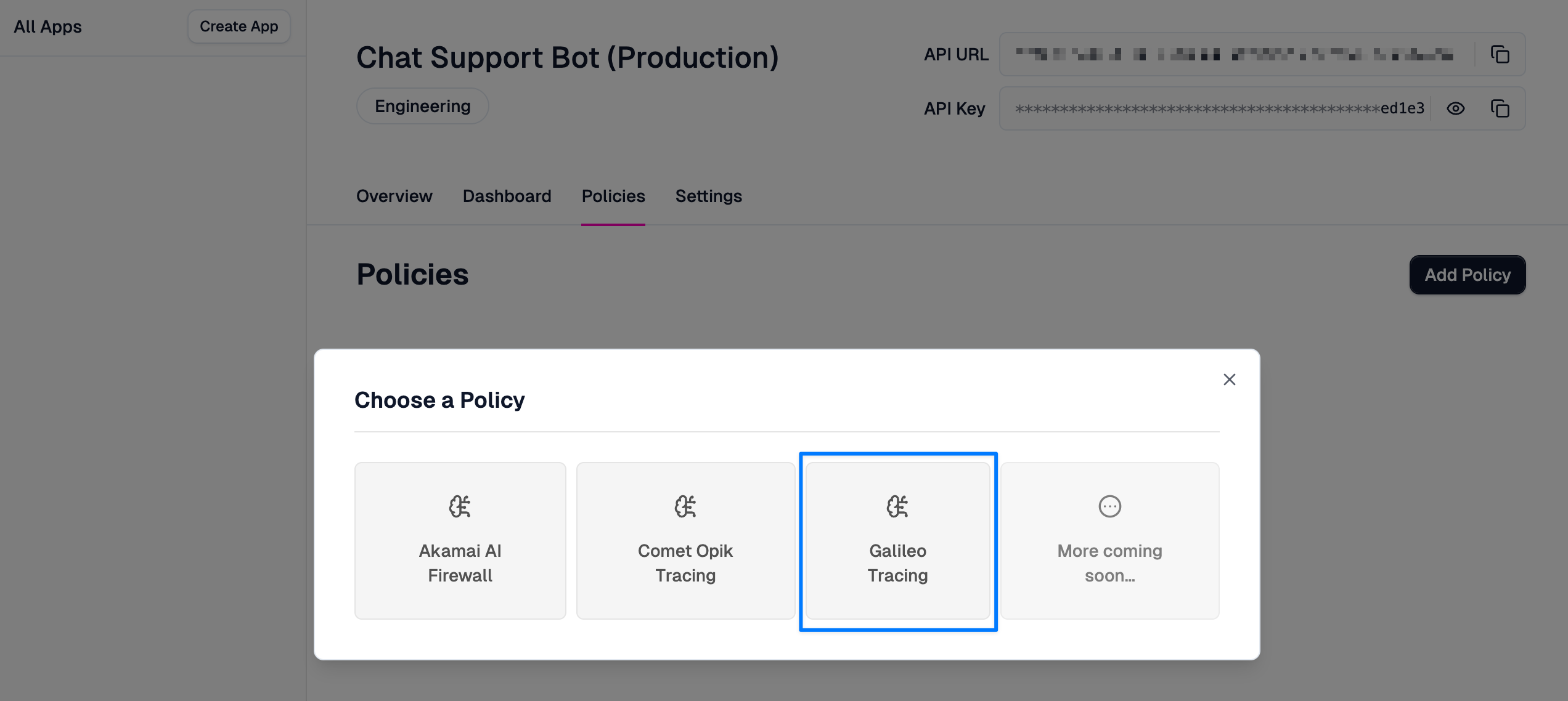
You can add the policy to any AI Gateway app by clicking on Policies, then on Add Policy and select Galileo Tracing.
-
Configure the policy
You will need to enter the following information from your Galileo account to configure the policy:
apiKey: Your Galileo API key for authenticationprojectId: The Galileo project ID to send traces tologStreamId: The specific log stream within your projectbaseUrl(optional): Custom Galileo API endpoint (defaults tohttps://api.galileo.ai)
The
projectIdandlogStreamIdare both found in the URL of the Galileo log stream you want to use. For example:https://app.galileo.ai/your-app/project/3e71c65e-48b6-4f5d-842d-0851c4704f95/log-streams/f8c71402-1f6b-4f5b-b073-1de999e6a8ea.In this case, the
projectIdis3e71c65e-48b6-4f5d-842d-0851c4704f95and thelogStreamIdisf8c71402-1f6b-4f5b-b073-1de999e6a8ea.
Key Metrics
The policy automatically tracks:
- Token Usage: Input, output, and total token counts
- Latency: Request duration in nanoseconds
- Throughput: Requests per second and volume
- Error Rates: Failed requests and error patterns
- Model Performance: Response quality and completion rates
Custom Metadata
Each trace includes:
- Request ID for correlation with logs
- Route information for API endpoint analysis
- Custom tags for categorization
- User-defined metadata from the request context
Benefits of using Galileo Tracing
Development Workflow
- Debug LLM applications with detailed trace inspection
- Test different models and configurations with comparative analytics
- Monitor quality regression during development cycles
Production Monitoring
- Track performance and costs across all AI operations
- Identify optimization opportunities through usage pattern analysis
- Maintain audit logs for compliance and security requirements
Quality Assurance
- Evaluate LLM outputs using Galileo's built-in metrics
- Monitor response quality trends over time
- Implement automated quality gates based on trace data
Troubleshooting
Common issues and solutions:
- Authentication Errors: Check that your Galileo API key is valid and has proper permissions
- Configuration Issues: Ensure the user context includes all required Galileo settings